How to Use AI for Salary Negotiation in 2026
Use ChatGPT, Perplexity, and other AI tools to research salary data, draft winning scripts, and role-play negotiation for free in 2026 with confidence.
By Yuvraj Bajwa, Founder, WorkHunt
July 8, 2026 · Updated August 7, 2026 · 8 min read
2026 Hiring GuideWorkHunt articles are written to help job seekers make better application decisions and are reviewed against our editorial policy.
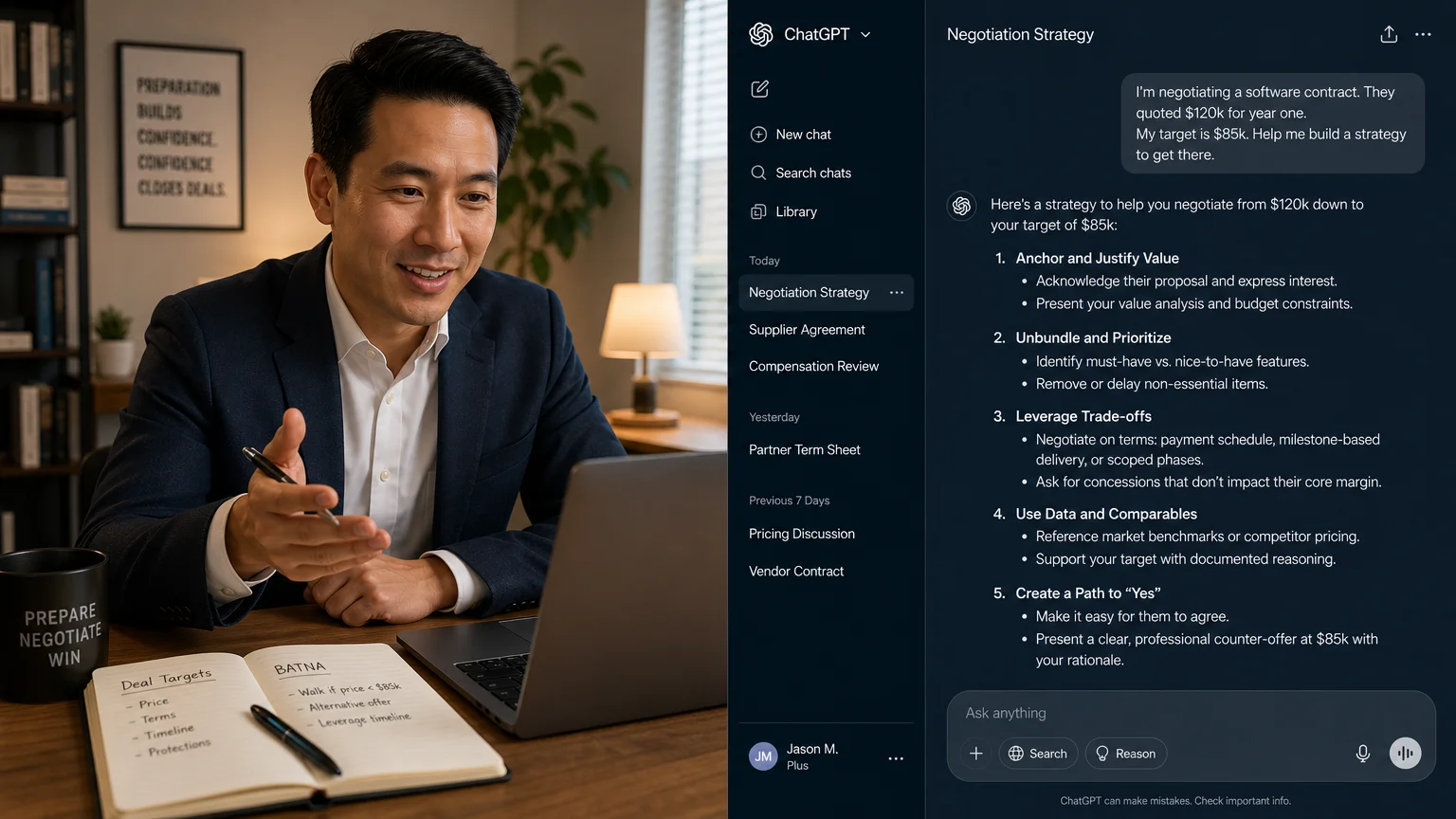
Negotiating makes plenty of people nervous. They aren’t sure what to say, when to bring it up, or even what number to anchor on.
That’s where AI comes in. In 2026, tools like ChatGPT and Perplexity can dig up market rates for you, draft a counteroffer, and let you rehearse the conversation before it actually happens. No more staring at a blank screen trying to figure out how to start.
Below is a guide to using AI for the whole process, researching salaries, building your case, and practicing your pitch, with prompts, templates, and a look at which tools do what best.
Why Use AI for Salary Negotiation in 2026
Three years ago, salary research was a slog. You’d spend hours combing through Glassdoor, bugging people in your network, and still worry you’d lowballed yourself. The data was skewed toward recruiters; candidates were left guessing with rough estimates.
AI changes that balance. Perplexity pulls live results from across the web, while ChatGPT can translate your experience into a compelling argument for a higher figure.
Most candidates haven’t caught on yet, they’re still negotiating blind. But using AI doesn’t mean checking your judgment at the door. It just means you’re working from better information.
How recruiters themselves use AI and why you should too
Recruiters lean on AI all the time: screening resumes, writing job descriptions, benchmarking salaries against the market. So if you’re wondering whether an AI-assisted negotiation is cheating. It isn’t. It’s leveling the field.
| Tool | Best for | Cost | Watch out for |
|---|---|---|---|
| Perplexity | Live web search with citations | Free; Pro available | Requires fact-checking |
| Glassdoor | User-submitted salaries | Free | Can be skewed by outliers |
| Levels.fyi | Tech and remote roles | Free | Limited mostly to tech |
| Bureau of Labor Statistics | Authoritative occupation data | Free | Updated yearly, not real-time |
A good starting point: use Perplexity to search for recent salaries at your specific company. Try asking something like: “What is the salary range for a Senior Product Manager at [Company] in [City] in 2026?”
For a deeper dive into market rate research, check out our guide on How to Negotiate Your Salary in 2026: A Step-by-Step Guide.
Step 2: Build Your Case: Quantify Your Value with AI
Knowing what the market pays is half the battle. To actually get that number, you need proof you’re worth it. This is where AI earns its keep: it can take fuzzy accomplishments and turn them into concrete, measurable results.
Turning accomplishments into dollars
Bullets like “Managed a team of 5.” show up on plenty of resumes. The problem? They give you almost nothing to work with when it’s time to negotiate.
Try this prompt to get quantified versions:
Prompt template:
“I am a [Job Title]. I led a team of [X] and delivered [Project] in [Timeframe]. Here are my top achievements: [list 3–5 basic bullets]. Rewrite each one as a quantified achievement using numbers that would impress a hiring manager. Estimate conservatively if needed.”
The AI might suggest things like: “Led a team of 5 to launch a product 30% faster than schedule, generating $500K in new revenue in Q3.”
Just make sure you check every estimate against your own records. A reasonable range beats the phrase “improved efficiency,” every time, but don’t pass off an estimate as a verified result.
Step 3: Draft Your Negotiation Script with AI
You’ve got your target and the evidence to back it up. Now write the ask.
Email templates generated by ChatGPT
Prompt template:
“Write a polite but firm salary negotiation email based on this scenario: I received a job offer for $[Offer] as a [Job Title] at [Company]. I have [X years] experience and market research shows the 75th percentile for this role is $[Target]. I also bring [Unique Skill or Certification]. The tone should be professional, appreciative, and confident. Include a specific counteroffer number.”
Here’s the kind of thing you’ll get:
“Dear [Hiring Manager],
Thank you for the offer. I’m very excited about the role and the team. Based on my research and experience, I’m looking for a base salary of $[Target] which aligns with market rates for this level of impact. I’m confident I can deliver [Key Contribution] from day one. Can we discuss this?”
Phone/zoom script prompts
For verbal negotiations, use this:
Prompt template:
“Write a 30‑second script for a phone call where I counter a salary offer. Start with appreciation, state my counter number, cite one strong achievement, and end with a question to keep the conversation open.”
Once ChatGPT hands you a draft, rewrite it in your own words. Swap out phrases, drop in a personal detail, and read it aloud. If it sounds robotic, revise it again.
Step 4: Simulate the Conversation with an AI Role‑Play
Practicing the conversation might be the single best use of AI here. You could get nervous mid-call, lose your place, or blank on a point entirely. Running through it beforehand changes that.
Using ChatGPT custom instructions as a hiring manager
Prompt template:
“You are a hiring manager at [Company]. I am a candidate who received an offer for $[Offer]. I want to negotiate for $[Target]. Your role is to push back with realistic objections - budget constraints, internal equity, ‘we’re at the max.’ Respond as you would in a real negotiation. I will respond as the candidate. Start the conversation.”
Then just go back and forth. Get comfortable hearing “no” and responding without getting rattled. The AI will throw realistic pushback your way, like:
“I understand you want more, but we have a strict budget for this role. We can’t go above $[X].”
Your job is to practice replying with:
“I appreciate that. Can we look at other components like sign‑on bonus, equity, or a performance‑based review at 6 months?”
Step 5: Execute with Confidence: Real Tips
AI gets you ready. Delivering the ask is still on you.
- Timing: Don’t negotiate on that first call. Thank them, ask for 24 hours, then put that time to work running your AI prompts.
- Handle pushback: Fall back on the objections you practiced. “I understand the budget is tight. Could we look at a signing bonus or a 6‑month review with an adjustment?”
- Know your walk‑away number: AI can’t decide this for you. Pick your bottom line before you start. If they can’t meet it, thank them and leave politely.
To strengthen your case further, see Best AI Resume Tailoring Tools.
Real-world example: Sarah, a marketing manager, took this route. She researched salaries with Perplexity, drafted her script with ChatGPT, and role-played three times. When they offered $85,000, she countered with $95,000 and landed at $92,000 plus a signing bonus. The AI didn’t negotiate for her. It gave her information and practice so she could do it herself.
Top AI Tools for Salary Negotiation (2026 Edition)
| Tool | Best Use Case | Pros | Cons |
|---|---|---|---|
| ChatGPT | Drafting scripts, role‑play | Free, versatile | Data cutoff, needs good prompts |
| Claude | Long‑form analysis, nuance | Better at tone control | Slower, less tool integration |
| Gemini | Multi‑modal (can read PDFs of offers) | Google integration | Less popular for negotiation |
| Perplexity | Live research, company‑level salary data | Citations, real‑time | Free tier limited |
| WorkHunt | A suggested ask for one specific posting, plus a recruiter-call script | Range built from the posting, Levels.fyi, and government wage data; tied to your tailored resume | Works one role at a time, not general market research |
For most people, a combo of Perplexity for research + ChatGPT for drafting and practice is all you need.
Common Mistakes When Using AI for Salary Negotiation
1. Over‑relying on outdated data
ChatGPT’s knowledge cutoff means it may give 2024 numbers. Always cross‑check with Perplexity or live sources.
2. Being too generic: failing to personalize
AI templates are starting points. If you send a cookie‑cutter email, the recruiter knows. Add your specific achievement, mention something from the interview, make it you.
3. Skipping the ethical check
Don’t use AI to fabricate offers or inflate numbers dishonestly. It’s tempting, but easy to verify. One lie can cost the entire offer. Stay honest; the data is on your side.
Frequently Asked Questions
Can I really use ChatGPT for salary negotiation? Yes, use it for research prompts, script drafts, and role‑play. It’s a tool, not a substitute for your own judgment.
What if the AI gives me a number that’s too high or low?
Always sanity‑check with real sources. Let AI give you an initial estimate, then refine with Perplexity or BLS data.
Do I need a paid AI tool?
No. Free versions of ChatGPT and Perplexity handle negotiation prep fine. Paid tiers (ChatGPT Plus, Perplexity Pro) just add speed and more models.
How do I know if I’m ready to negotiate?
Run the role‑play simulation at least three times. If you can take the AI’s pushback without freezing, you’re ready for the real thing.
Is it ethical to use AI for this?
Absolutely. You’re drawing on publicly available data and your own experience. A calculator helps you balance a budget; AI helps you prepare. It’s a tool, not a cheat code.
Sum it up:
- Research market rates with Perplexity and ChatGPT prompts
- Quantify your value: turn duties into dollars
- Draft and personalize your script
- Role‑play the conversation until you’re calm
- Execute with confidence and know your walk‑away
You’ve got the tools. Now go get what you’re worth.
Related reading:
- How To Negotiate Your Salary In 2026: A Step‑By‑Step Guide
- Best AI Resume Tailoring Tools
- AI Resume Writing Guide 2026
- The Ultimate Resume Guide For 2026 - Get Past ATS And Impress Recruiters

Yuvraj Bajwa
Editorial AuthorFounder, WorkHunt
Yuvraj Bajwa is the founder of WorkHunt, an AI job-search workspace built as part of Coffee Drop Studio. He writes and reviews the resume, cover letter, interview, and application-tracking guidance on this site, drawing on the day-to-day work of building the tailoring, fit analysis, and ATS tools the articles describe.
- Founder
- Product lead