Your Resume Has 7 Seconds: Make Them Count in 2026
Eye-tracking research shows how recruiters scan resumes in 2026. Learn the F-pattern, 6 fixation points, and how to optimize for the 7-second test.
By Yuvraj Bajwa, Founder, WorkHunt
July 12, 2026 · Updated October 16, 2026 · 7 min read
2026 Hiring GuideWorkHunt articles are written to help job seekers make better application decisions and are reviewed against our editorial policy.
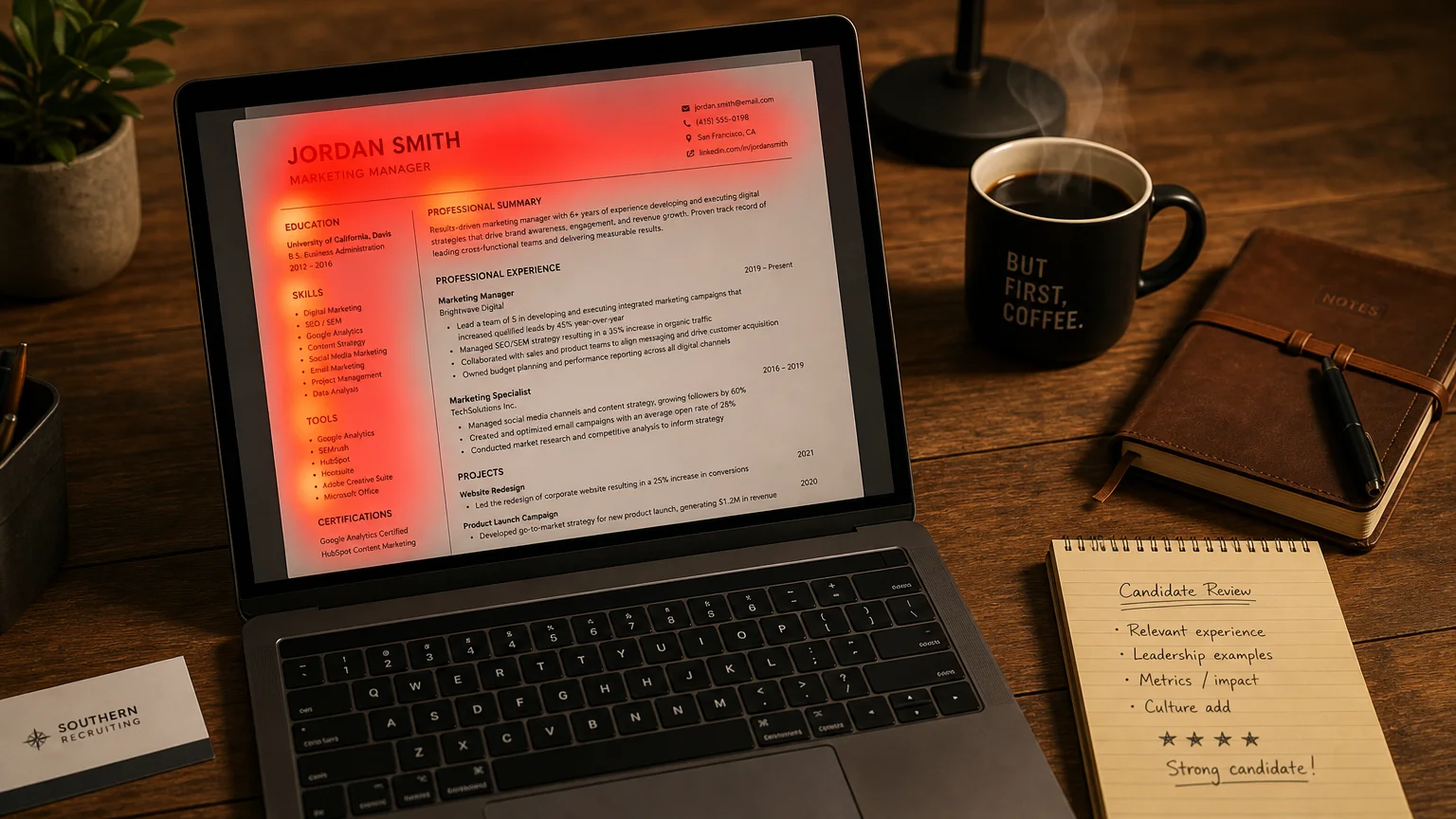
Your resume gets about 7 seconds of attention before a recruiter decides whether to look closer.
Not 60 seconds or 5 minutes. The Ladders eye-tracking study (2018) measured an average of 7.4 seconds. That is the initial window before a stranger decides whether to keep reading.
Those 7 seconds follow a predictable pattern. Understanding that pattern helps you place the information recruiters look for first.
Pass that scan and a recruiter spends roughly another 20 to 30 seconds screening the details. This guide covers both: what the eye-tracking research says about the first look, and what decides the closer read that follows.
The F-Shaped Reading Pattern
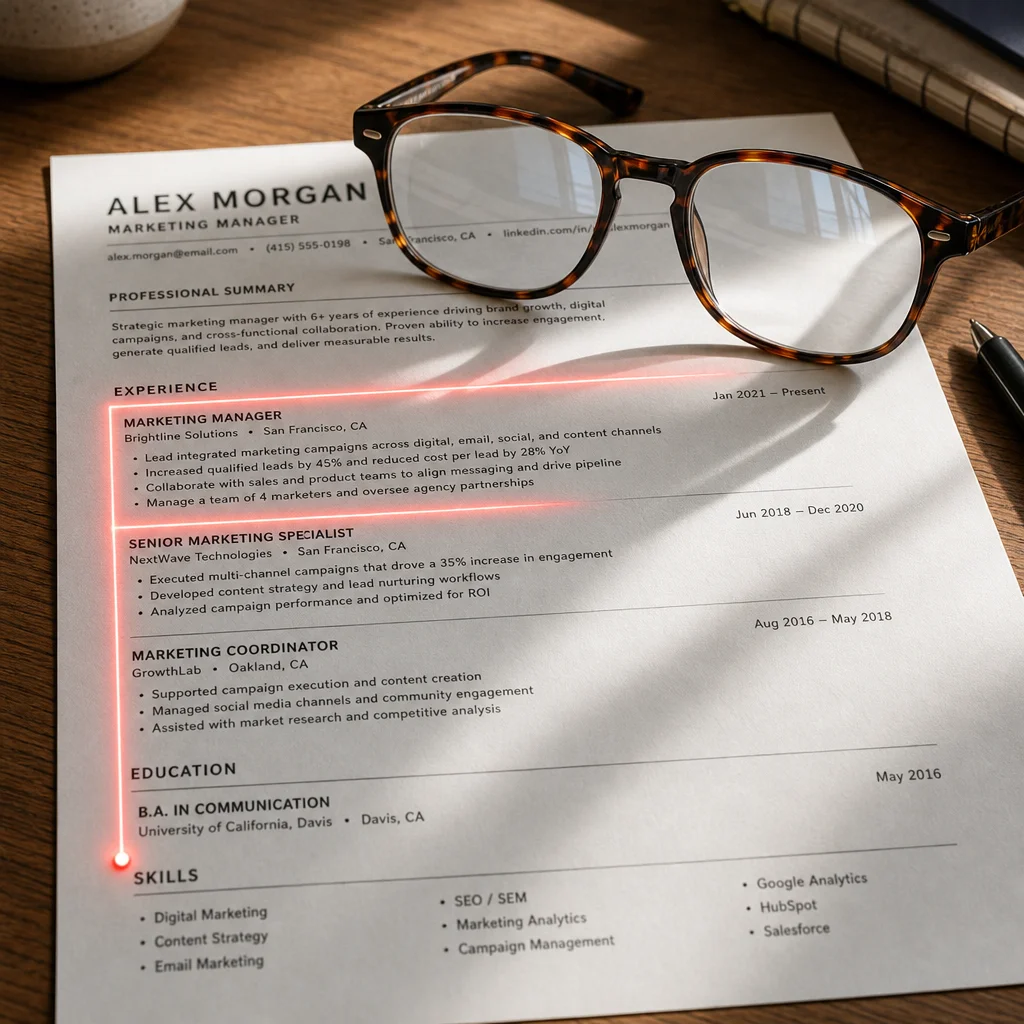
The original Ladders study tracked exactly where recruiters’ eyes go when they look at a resume. The result? A clear F-shaped pattern.
The F-pattern works like this:
- Top horizontal scan: Recruiters read across the top of the resume: your name, contact info, professional summary, and current role.
- Left vertical scan: Their eyes drop down the left margin, scanning job titles, company names, and dates.
- Second horizontal scan: They read across again at the midpoint, usually checking your second-most-recent role.
- Final vertical sweep: A quick glance down the remaining left side for education or notable keywords.
If your most important information is outside that F-shaped zone, recruiters may miss it.
The full Ladders eye-tracking study (PDF) is worth a read if you want the raw data. For now, just know that the F-pattern is real, it’s been replicated in multiple studies, and it hasn’t changed much between 2012 and 2018.
The 6 Fixation Points
The study also homes in on six specific fixation points.
Within those 7.4 seconds, recruiters lock onto exactly six elements. And Recent eye-tracking research confirms the same patterns hold in 2026.
Here they are, in order of attention:
- Your name: They need to know who you are.
- Current title and company: What are you doing right now?
- Current position dates: How long have you been there?
- Previous title and company: What did you do before?
- Previous position dates: Career progression check.
- Education: Degree and institution.
Notice what’s missing from that list: your bullet points, achievements, and skills section. Those don’t get looked at until after the initial scan.
They still matter, but only after you clear the 7-second hurdle. So make those 6 fixation points impossible to miss.
The Top-Third Rule
The eye-tracking data also reveals how attention gets distributed.
Everything visible without scrolling, the top third of your resume, gobbles up the vast majority of visual attention. Multiple studies confirm this is where hiring decisions begin.
What belongs in the top third:
- Your name (make it prominent but professional)
- Current title and company
- A 2-3 line professional summary or branding statement
- Key skills (4-6 max, tailored to the role)
What does NOT belong in the top third:
- Your address (recruiters don’t need it)
- An objective statement (‘Seeking a challenging position…’, which is useless)
- Multiple skill bars or rating scales (they’re gimmicky)
- Your photo (can actually hurt you in many regions)
Think of the top third as the introduction to everything that follows.
Formatting for the 7-Second Scan
Your formatting matters because content a recruiter cannot find in 7 seconds may as well be absent.
Font choice: Stick to clean, professional fonts. Arial, Calibri, Helvetica, or Lato. No script fonts, no decorative headers, no text boxes that confuse ATS parsers.
Font size: 10-12 point for body text. 14-16 for your name. 12-14 for section headers.
White space: Don’t be afraid of it. Dense walls of text guarantee that a recruiter will miss your best points. Jobway’s 2025 guide recommends generous margins (0.5-0.75 inches) and clear section breaks.
Bullet points: Use them. But keep each bullet to one line if possible. Two-line bullets are risky. Three-line bullets get skipped.
Bold for emphasis: Bold your job titles, company names, and key achievements. But don’t bold entire paragraphs, because that defeats the purpose. Bold should guide the eye, not overwhelm it.
Here’s a simple test: hand your resume to a friend and ask them to look at it for 7 seconds. Then ask what they remember. If they can’t name your current role, your company, and one key achievement in that time, your formatting needs work.
After the Scan: The 30-Second Screen
Clearing the first look earns a closer read, usually well under a minute for an initial screen. This is where a strong title and clean dates stop being enough. The recruiter is now checking:
- Keywords from the job description, in both the skills section and the experience bullets
- Quantified achievements: numbers, percentages, dollar amounts
- Skills alignment: does this person have the hard skills the posting lists?
- Career progression: promotions, growing scope, roles that make sense for this one
- Polish: typos and inconsistent formatting get noticed at this stage
Many resumes survive the scan and fail here, because the bullets describe duties instead of results. Give each recent role three or four bullets with a number attached, and use the posting’s own terms where they honestly describe your work.
The ATS Reality Check
Before you get too creative with formatting, remember: your resume probably goes through an Applicant Tracking System (ATS) before a human ever sees it.
ATS parsers struggle with:
- Columns and tables
- Graphics, icons, or photos
- Headers and footers with critical info
- Unusual fonts or formatting
The sweet spot: a clean, single-column layout with standard fonts and clear section headers. This supports ATS parsing and the human scan.
Modern ATS advice emphasizes that the best format works for both machines and humans.
Common Mistakes That Kill Your Resume in Under 10 Seconds
These mistakes can make recruiters move on before they finish reading your name.
Mistake 1: The wall of text. No white space, no bullet points, no breathing room. Instant rejection.
Mistake 2: Irrelevant top-third content. That objective statement from 2018 where you say you’re ‘seeking a challenging position’? Cut it. Put a targeted professional summary in its place.
Mistake 3: Missing contact info. Happens more than you’d expect. No email or phone number visible within 3 seconds, and the recruiter’s gone.
Mistake 4: Creative formatting. Side columns, icons, graphics. They look sharp but wreck ATS parsing. Data from HireResume’s research shows plain layouts beat fancy ones for callback rates.
Mistake 5: Too much text. A 3-page resume when you’ve got 5 years behind you? That’s a red flag. It reads like you can’t prioritize.
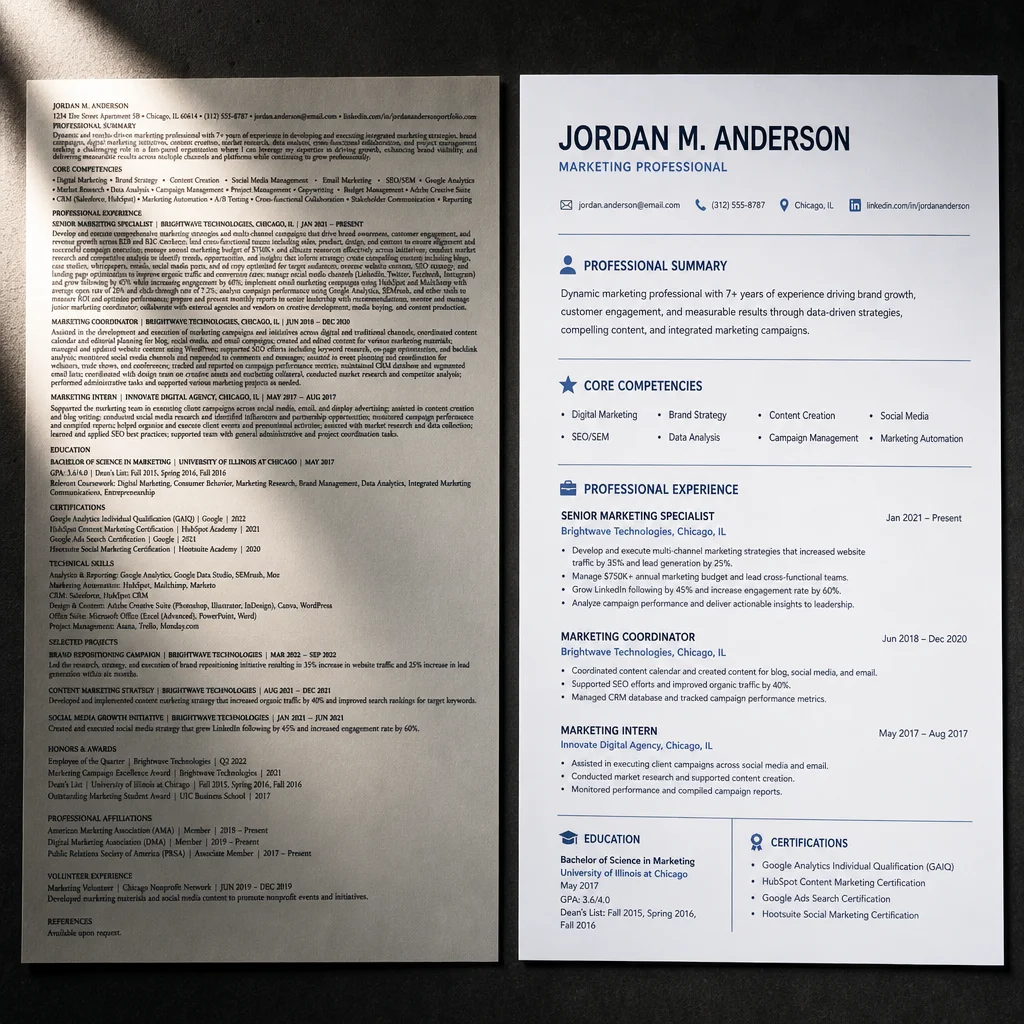
A Quick Before-and-After Makeover
Let’s make this concrete.
Before (what most people write):
‘Managed a team of customer service representatives and handled escalated calls. Responsible for improving customer satisfaction scores and reducing response times. Worked with cross-functional teams to implement new processes.’
Easy to skip because it’s duties with no numbers, no context.
After (what passes the 7-second test):
‘Led a team of 12 customer service reps, handling 200+ escalated calls weekly. Improved CSAT scores from 82% to 94% in 6 months. Reduced average response time by 40% through a new triage system.’
The results jump out because the key data stands apart.
Your 7-Second Checklist for Every Application
Run this before you hit submit on any application:
- Can a recruiter find your name, current title, and company in 3 seconds? (If not, reformat)
- Is your top-third content specific to THIS role? (Generic = ignored)
- Do you have bullet points with numbers? (Every role should have at least one)
- Is your formatting ATS-friendly? (Test it by copying and pasting into a plain text editor)
- Can you reduce your resume by 30% without losing key achievements? (Do it)
- Is there enough white space that your eye doesn’t feel tired looking at it? (If not, add breaks)
- Does each recent role have three or four bullets with numbers, using the posting’s keywords? (That decides the 30-second screen)
One more thing: The 7-second rule isn’t a myth, but it’s also not a final judgment. Recruiters themselves point out that they spend more time on promising candidates. The 7-second scan is a gate. Once you’re through, they read much more closely.
Your job is to build a resume that gets through that gate.
Focus on the F-pattern and prioritize the top third. Use formatting that guides the eye, quantify your achievements, and test your resume against the 7-second standard.
To make the top third and the bullets specific to each role, see how to tailor your resume.

Yuvraj Bajwa
Editorial AuthorFounder, WorkHunt
Yuvraj Bajwa is the founder of WorkHunt, an AI job-search workspace built as part of Coffee Drop Studio. He writes and reviews the resume, cover letter, interview, and application-tracking guidance on this site, drawing on the day-to-day work of building the tailoring, fit analysis, and ATS tools the articles describe.
- Founder
- Product lead