7 Steps to Write a Resume: Blank Page to ATS-Ready
Follow a 7-step guide to write a resume that passes ATS filters and reaches hiring managers. Cover format, keywords, achievements, and proofreading for 2026.
By Yuvraj Bajwa, Founder, WorkHunt
July 12, 2026 · Updated October 16, 2026 · 8 min read
2026 Hiring GuideWorkHunt articles are written to help job seekers make better application decisions and are reviewed against our editorial policy.

You are staring at a blank page and wondering where to start.
Writing a professional resume is a process. These seven steps take you from a blank page to an ATS-friendly document that recruiters can read.
Start with the format, then work through each section in order.
Step 1: Choose the Right Resume Format
Three formats are common. One is the best default for most people.
Chronological: Lists work experience in reverse date order. Recruiters love this. ATS systems parse this best. Simple, clean, standard.
Functional: Focuses on skills, hides employment gaps. Avoid this unless you have very specific reasons.
Combination: Mixes both. Useful for career changers, but harder to get past ATS.
The decision: For 90% of job seekers, go chronological. It’s the most widely accepted format by both recruiters and applicant tracking systems. (source, source)
Pro tip: If you’re switching industries, try the combination format. Lead with a strong professional summary that bridges the gap, then show transferable skills before your chronological work history.
Step 2: Set Up Your Header and Contact Information
Your header should make it easy for someone to reach you.
What goes in the header:
- Full name (no nicknames)
- Phone number with area code
- Professional email address (firstname.lastname@gmail.com, not partypanda92@yahoo.com)
- LinkedIn profile URL (customized, not the default)
- Portfolio or personal website link (if relevant)
Formatting rules:
- One line, left-aligned or centered
- Keep it clean. No graphics or photos. Do not add ‘References available upon request.’ (source)
Warning: Skip the full address. City and state is enough. You don’t want to screen yourself out because you live 50 miles away.
Step 3: Write a Compelling Professional Summary
This is the first thing a recruiter reads after your name. Avoid filler such as ‘Seeking a challenging position where I can utilize my skills.’
Use the space to show what you bring to the role.
The formula for experienced professionals:
[Job title] with [X years] of experience in [industry/field]. Proven track record of [key achievement]. Skilled in [top 2-3 skills relevant to target role].
Example:
Senior Marketing Manager with 8+ years of experience in B2B SaaS. Drove 40% YoY pipeline growth through data-driven content strategy. Expert in SEO, paid acquisition, and conversion rate optimization.
For entry-level or career changers: Use an objective statement that highlights what you bring, not what you want.
Recent Computer Science graduate passionate about full-stack web development. Built 3 production-ready apps using React and Node.js. Seeking a junior developer role where I can grow and contribute immediately.
Why this works: A strong summary shows the recruiter why you are relevant. Harvard career services recommends 2-3 focused sentences that highlight your most relevant qualifications. (source)
What NOT to do:
- Write a paragraph. Keep it to 2-3 sentences max.
- Use generic phrases like ‘team player’ or ‘hard worker.’ Show those qualities through your experience.
- Make it about what you want. Make it about what you bring.
Step 4: List Your Work Experience with Impact
This is where many resumes become too vague. Recruiters need to see what you achieved, not only what you were assigned to do.
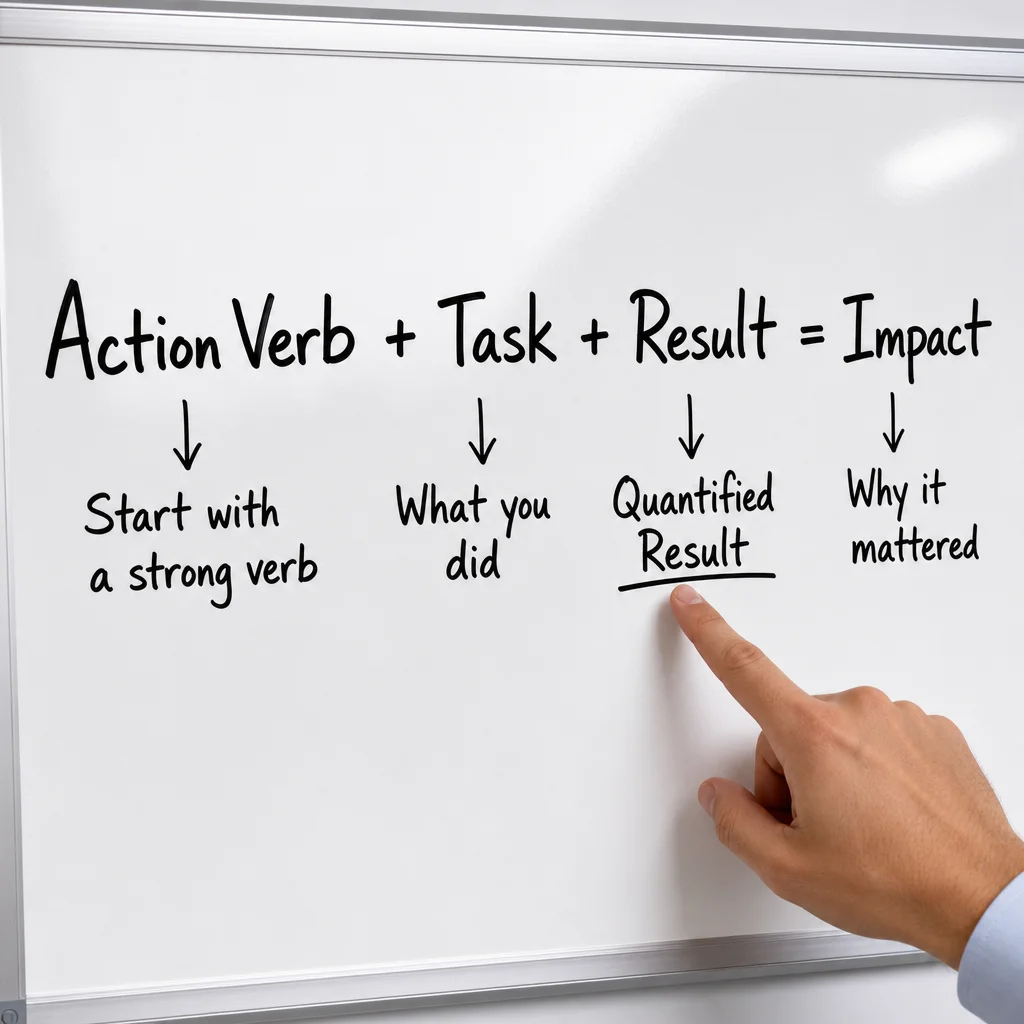
The formula every bullet point should follow:
[Strong action verb] + [task/project] + [quantified result]
Bad:
- ‘Responsible for social media management’
- ‘Managed a team of salespeople’
- ‘Handled customer complaints’
Good:
- ‘Grew Instagram following from 2K to 15K in 6 months through paid and organic strategies’
- ‘Led a team of 12 sales reps, exceeding quarterly targets by 30% for 4 consecutive quarters’
- ‘Resolved 50+ customer complaints weekly, maintaining a 95% satisfaction rate’
Numbers support your claims. Action verbs make the work easier to understand.
Where to find strength for your verbs: Harvard career services recommends verbs like orchestrated, optimized, and engineered instead of weak phrases like ‘responsible for.’ (source)
Muse has a list of 185+ powerful verbs, and MIT’s CAPD also maintains a solid list. (source, source)
Pro tip: Only include your last 10-15 years of experience. Older roles can be summarized in a single line. Recruiters don’t need to know about your summer internship from 15 years ago.
How to handle gaps:
- Short gaps (under 6 months): Don’t address them on the resume
- Longer gaps: Use a line like ‘Career break to care for family member’ or ‘Pursued full-time coursework in data analytics’
- Never lie. It will come out in the background check.
Step 5: Showcase Your Skills Section
Your skills section serves two audiences: the recruiter scanning for relevance and the ATS looking for keyword matches.
What to include:
- Hard skills: Specific technical abilities (Python, Salesforce, Excel, project management software)
- Soft skills: Communication, leadership, problem-solving (use these sparingly because they are harder to prove)
- Industry keywords: Terms from the job description that show you understand the field
How to get the right keywords:
- Pull up 3-5 job descriptions for roles you want
- Pull out the skills that keep showing up in job posts, then 3 mirror that exact wording in your own skills section. If they say “project management,” don’t rewrite it as “oversight.”
Format example:
Skills
• Technical: Python, SQL, Tableau, AWS, Git, Docker
• Marketing: SEO/SEM, Google Analytics, HubSpot, content strategy
• Languages: English (native), Spanish (professional working proficiency)
ATS warning: Skip columns, tables, and graphics here. Parsers choke on them. Stick to bullet points or comma-separated lists instead. (source, source)
Pro tip: Blend hard and soft skills. ATS tools have trouble parsing ‘soft skills’, sure, but the human reading your resume cares about them a lot. One study backs that up. (source)
Step 6: Add Education and Certifications
This part looks simple, but people botch it all the time.
What to include:
- Degree name, institution, and graduation date (month and year)
- GPA only if it’s 3.5+ and you’re a recent graduate
- Relevant coursework (if you’re early career)
- Certifications relevant to the target role
Example:
Education
Bachelor of Science in Computer Science
University of California, Berkeley - May 2025
GPA: 3.7/4.0
Relevant coursework: Data Structures, Machine Learning, Database Systems

Certifications
• AWS Certified Solutions Architect (2025)
• Google Data Analytics Professional Certificate (2024)
What to leave out:
- High school (unless you’re a current student)
- ‘References available upon request’ - recruiters know how to ask
- Graduation dates if they might age you (but be aware this is a risk if ATS requires it)
Step 7: Polish, Proofread, and ATS-Test
Most people skip this step. One typo can cost you an interview.
The polish checklist:
Formatting consistency:
- Same font throughout (10-12 pt for body, up to 14 for name)
- Consistent spacing: 0.65-1 inch margins, same after every section
- Bold and italic used sparingly and consistently
- No orphan lines (a single line at the top of a new page) (source, source)
Order and wording:
- Sort bullets in each role by impact, not chronology, so the biggest number comes first
- Cut filler: “responsible for”, “utilized”, “team player”, “results-driven”, “dynamic”, “leveraged synergies”
- Rewrite any bullet that does not say what happened. “Leveraged cross-functional synergies to optimize team performance” becomes “Coordinated sales and product teams to close 3 enterprise deals”
Proofreading:
- Read it out loud. You’ll catch awkward phrasing.
- Use spell check, but don’t trust it. ‘Manager’ and ‘manger’ are both real words.
- Have a friend read it. Fresh eyes catch things yours missed.
ATS testing: ATS systems work by parsing text from your resume and matching it against job requirements. They ignore text in headers/footers, text boxes, tables, and images. Many also struggle with columns and fancy fonts. To ensure your resume is ATS-friendly:
- Paste your resume into Notepad (or a plain text editor). If the output is garbled or missing key information, the ATS will see the same mess.
- Run it through an ATS simulator (Jobscan, SkillSyncer, or MyPerfectResume’s free ATS check).
- Check that keywords from your target job description appear naturally in your work experience, skills, and summary sections.
Common ATS pitfalls to avoid:
- Headers/footers with contact info (some systems can’t read them)
- Tables or columns (text often reorders incorrectly)
- Graphics, logos, or images (invisible to ATS)
- Uncommon fonts (stick to Arial, Calibri, or Times New Roman)
- Abbreviations without spelling them out the first time (e.g., “Bachelor of Science (BS)”)
File format: Follow the application instructions. A text-based PDF keeps your layout and most modern systems read it well; when the posting asks for Word, or you are unsure how old the system is, send a .docx.
Pro tip: If you use a template, make sure it’s ATS-compatible. Canva templates often embed text in images that ATS can’t read. Stick to simple, text-based templates from Microsoft Word, Google Docs, or dedicated resume builders like WorkHunt. (source)

Key Takeaways
- Use chronological format unless you have a strong reason not to
- Quantify everything: numbers make claims believable
- Mirror job description keywords for ATS optimization
- Lead with a professional summary that hooks the recruiter
- Use strong action verbs: ‘led,’ ‘built,’ ‘optimized,’ not ‘responsible for’
- Keep formatting simple: consistent fonts, no graphics, standard margins
- Proofread, then proofread again: one typo can cost you an interview
Clear resumes don’t happen by accident, but they’re what gets recruiters to pick up the phone.
Next step: Find the weakest part of your resume and redo it with the formula above. Work experience is the best place to start, that’s where you’ll see the biggest payoff.

Yuvraj Bajwa
Editorial AuthorFounder, WorkHunt
Yuvraj Bajwa is the founder of WorkHunt, an AI job-search workspace built as part of Coffee Drop Studio. He writes and reviews the resume, cover letter, interview, and application-tracking guidance on this site, drawing on the day-to-day work of building the tailoring, fit analysis, and ATS tools the articles describe.
- Founder
- Product lead